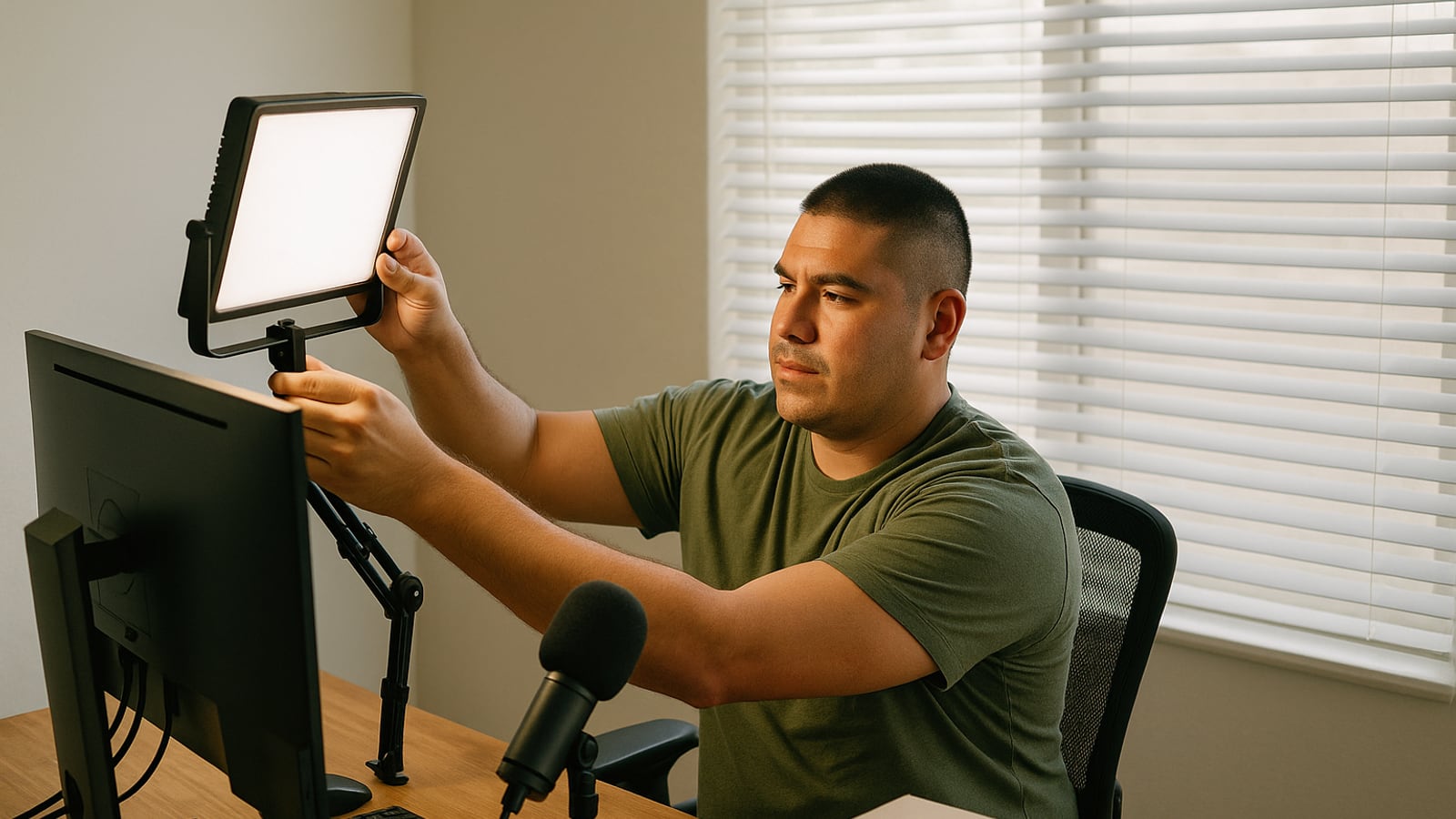
Spend your money in this order: light, microphone, camera. If you have $400 for the whole setup, put roughly $100 into a light, $200 into a mic and a way to hold it, and whatever's left into the camera. Most people do the opposite, buy a 4K webcam, and end up as a slightly sharper shadow with tinny audio.
The reason is simple. A camera sensor can only work with the light you give it. Feed a cheap sensor good light and it looks fine. Feed a good sensor bad light and it goes grainy, hunts for exposure, and turns your face a shade of gray that makes people ask if you're feeling okay.
The window behind you is the whole problem
Sit facing a window and you're lit for free, better than most gear can manage. Sit with a window behind you and the camera exposes for the bright glass, which leaves your face in silhouette. At 4pm in winter it gets worse by the minute, so you start the call looking normal and end it looking like a witness in a documentary.
Turn your desk ninety degrees if you can. If you can't, close the blind and light yourself artificially.
A single panel light does the job. The Elgato Key Light Air and the smaller Neewer LED panels both mount on a desk clamp, which matters more than the specs, because a light on a tripod on your desk will get knocked over inside a week.
Put it slightly above your eye line, off to one side by about 30 to 45 degrees, angled down at your face. Straight-on light is forgiving but flat, like a passport photo. Off-axis gives your face some shape. Set the color temperature somewhere around 4500K and then look at the preview, because if your room lamps are warm and your key light is cold, half your face goes orange and the other half goes blue.
Then dim it. Nearly everyone runs these things far too bright and ends up squinting through an hour-long call with a headache building behind the eyes.
Nobody forgives bad audio
People will tolerate a soft, slightly grainy picture forever. They won't tolerate having to lean in to understand you, and by minute twenty they've stopped listening and started reading their email.
Buy a dynamic cardioid microphone, not a condenser. Condensers are more sensitive, which sounds like a good thing until you realize what they're being sensitive to: your furnace, the hard floor, the dog, the street. A dynamic mic hears mostly what's directly in front of it, which is why the Shure MV7+, the Audio-Technica ATR2100x-USB and the Rode PodMic are the ones you see on desks that belong to people who do this for a living. The first two are USB, so you plug them straight in. The Rode needs an interface, which is another box and another cable and another thing to go wrong.
Now the part that actually determines how you sound: distance. A fist away from your mouth, four to six inches, slightly off to the side so your hard consonants don't pop. That's it. That's the difference between "professional" and "guy in a room." A $60 mic four inches away beats a $300 mic two feet away, every time.
Which means you need something to hold it there. A boom arm clamped to the desk is the usual answer, and it works, but on a hollow-core IKEA desk it transmits every keystroke straight up the arm and into the mic. If your desk is flimsy, use a desk stand on a foam pad instead and pull the mic in close. Type quietly during meetings either way.
Wear headphones. Any headphones. Wired earbuds are fine. Without them, your speakers feed back into the mic and everyone else on the call hears themselves with a delay, which is the single most distracting thing that happens on video calls.
The camera, finally
If you have a recent Mac and a recent iPhone, you already own the best camera in this article. Continuity Camera clamps the phone to the top of your monitor and uses the rear camera, which is enormously better than anything built into a laptop. It costs a mount. Start there before you buy anything.
If you're on Windows, the Elgato Facecam MK.2 and the Logitech Brio series are the sensible picks. The thing to look for isn't resolution. It's whether you can lock exposure and white balance in software. Autoexposure is what makes your face brighten and dim every time you shift in your chair, and it looks awful. Lock it, set it once, leave it.
Full 4K is mostly wasted. Zoom, Teams and Google Meet compress everything down hard before it reaches the other end. A clean, well-lit 1080p stream arrives looking better than a noisy 4K one.
Where to put the thing
Eye height. Not laptop height.
A laptop camera sits eight inches below your face and points up, so your colleagues spend the meeting looking at your ceiling, your chin and the inside of your nostrils. Stack three hardbacks under the laptop, or put the camera on top of an external monitor and use the laptop as a second screen.
Frame yourself with the top of your head just touching the top of the frame, eyes about a third of the way down. Leave room to gesture. If you're a talker who moves, back off another six inches.
Check what's behind you. Not because you need a curated shelf, but because there's usually one specific thing you'd rather people didn't study for an hour. A door left open onto a hallway is the worst background there's, because everyone watches it instead of you.
The settings that break every few months
Applications reset audio devices after updates. Constantly. Check the dropdown in Zoom or Teams before an important call, because the default will silently flip back to your laptop's built-in mic and you'll sound like you're in a stairwell.
Turn background noise suppression down to Low. On High it chews the front off your words, and with a dynamic mic close to your face you don't need it anyway.
Ethernet if you can reach it. Wi-Fi is the reason you freeze mid-sentence.
And look at the lens, not at the faces, when you say the thing you actually want people to remember. Only for a second or two. It reads as eye contact on the other end, and almost nobody does it.
When not to bother
If you're on two internal calls a week with people who've known you for years, buy the light, angle the laptop up, and stop. You'll have captured most of the available improvement for under a hundred and fifty dollars.
The full setup earns its keep when you're selling, interviewing, teaching, or on camera for more than an hour a day. That's when the difference between adequate and good becomes a business asset rather than a hobby.
The test isn't whether anyone compliments your setup. It's whether the first thirty seconds of the call go by without anybody adjusting their volume, squinting, or saying "you're a bit dark, can you..."
Dean Shaw
Gear & Garage
Tests things until they break, then reports what broke first. Trucks, tools, watches, and the cheap version that costs more.

Watch
Worth an hour of your evening
More from Gadgets.
From channels we rate. Plays on YouTube.
Read next