
Your call sounds like a cave because your mic is too far away
A cheap mic four inches from your mouth beats an expensive one across the desk. Fix the room, fix the distance, then spend money.
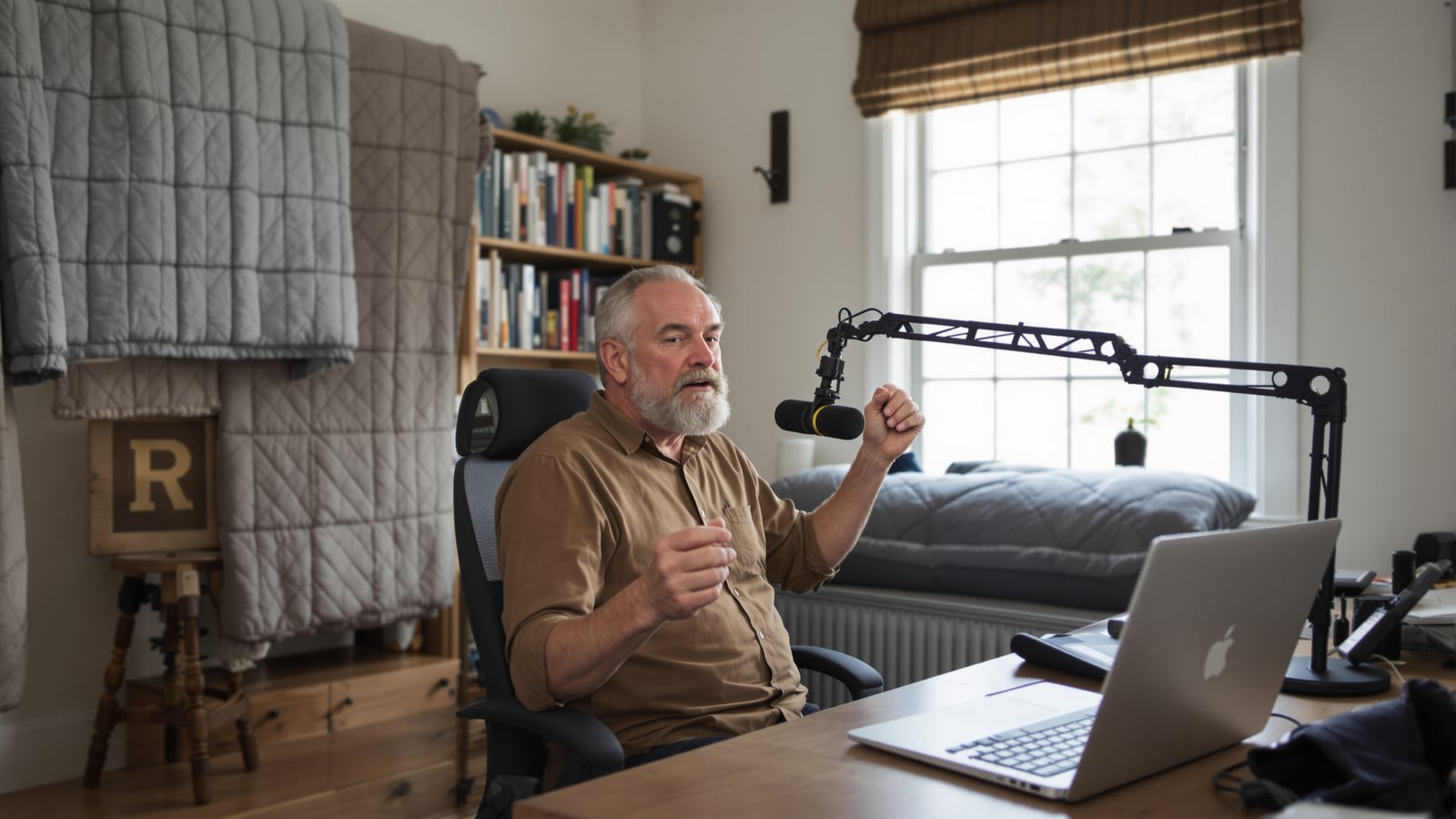
Quick answer: Get the mic about a fist-width from your mouth. A headset boom, a clip-on lavalier or a dynamic USB mic on an arm will all do it. Add one soft thing behind you and one in front, and the cave goes away.
You've heard the guy. Maybe you're the guy. He's got a nice laptop, a good camera and a clean shirt, and he sounds like he's dialing in from inside a grain silo. Everyone nods politely and asks him to repeat himself.
The laptop didn't break. The mic is doing exactly what mics do. It's about two feet from your face, so your voice reaches it quiet, and the room reaches it almost as loud. The software turns the volume up to compensate, and now it's amplifying the echo off your drywall right along with you.
That's the whole problem. It's mostly distance and bare walls, and only a little bit the gear.
Fix the room before you buy anything
Sound bounces. A home office with a bare wall, a window, a hardwood floor and a desk is a box of hard surfaces, and every one of them throws your voice back at the mic a split second late. That's the hollow, boomy sound you're trying to kill.
You don't need foam panels on the wall. You need soft stuff:
- Put a rug under your chair if the floor is wood or tile.
- Close the curtains behind the screen, or hang a blanket there for the call.
- Sit with a couch, a bookshelf full of books or a closet of clothes behind you. Books scatter sound well.
- Pick the smallest room you have. A spare bedroom with a bed in it beats a kitchen every time.
Test it with your phone's voice memo app. Record thirty seconds of you talking at the desk. Then do it again sitting on the edge of the bed with a pillow in your lap. If the second one sounds noticeably better, you've found out what your room is doing to you, and it cost nothing.
Get the mic close
This is where the money matters, and not as much as you'd think.
Three ways to put a mic near your mouth, from simplest to best:
A headset with a boom mic. The mic sits a few inches off your cheek and stays there when you turn your head. For a person on calls six hours a day, this is the answer. You also get headphones built in, which matters for a reason I'll get to below.
A lavalier. The little clip-on kind you pin to a shirt placket about six inches below your chin. It disappears on camera. Wired ones that plug in or run through a small USB adapter are far more reliable than wireless ones.
A dynamic USB mic on an arm. This is the setup that makes people on the call say, "What are you using? You sound great."
Dynamic is the word that matters. Dynamic mics are built to pick up what's right in front of them and mostly ignore what's far away. Condenser mics are more sensitive, which sounds better until you realize they'll happily record the dishwasher, the dog and the echo too. In a studio with treated walls, that sensitivity is a gift. In a spare bedroom, it's the cave all over again.
What we'd buy, what we'd skip
Buy: a dynamic USB mic. The Samson Q2U, the Audio-Technica ATR2100x-USB and the Shure MV7 are all dynamic mics that connect by USB, and the first two also have an XLR output if you ever want to grow into an audio interface. Plug it in, and it shows up on your computer as a mic. No driver hunt.
Buy: a boom arm to go with it. A mic stuck on a tiny desk stand ends up too far away, and it picks up every keystroke through the desk. An arm lets you park it just out of frame, level with your mouth, off to one side.
Buy: a wired headset with a real boom if you'd rather skip the desk gear. Logitech and Jabra both make business headsets built for exactly this.
Skip: the mic that came with a webcam. It's a tiny condenser across the desk. You're fighting the same physics as the laptop.
Skip, or at least move closer: a big desktop condenser like the Blue Yeti. It's a well-liked mic and it can sound fine up close in its cardioid setting. But most people leave it a foot and a half away on the default pattern and wonder why it sounds like a hallway. If you already own one, drag it to within six inches and aim it at your mouth.
Fine in a pinch: wireless earbuds. The mic is close to your mouth, so you'll sound better than you did on the laptop. But Bluetooth drops audio quality when the mic is on, and it will sound a little thin. That's fine for a walk, but not for the job interview.
Set it up right the first time
Position matters more than people think. Put the mic about a fist-width from your mouth, a little off to the side or slightly below, pointed at your lips. Talking straight into the front makes your P's and B's thump. Off-axis fixes that without a pop filter.
Then set the level. Talk at your normal volume and check the meter in your computer's sound settings. You want it bouncing in the middle, not hitting the red. If you have to shout to move it, the mic is too far away or the gain is too low. If it's pinned at the top, back off or turn it down.
Turn off any "enhance" or "auto" setting that fights you. Noise suppression in Zoom and Teams is useful once the room is under control. Used as a cure for a bad room, it chews your voice into robot mush.
And wear headphones. This is the one people skip. If the other person's voice comes out of your speakers, your mic picks it up and sends it back, and everyone on the call hears themselves a half second late. Headphones kill that loop completely. If you're shopping, buy headphones for your week, not for the review scores, and a pair with a decent mic can handle both jobs.
Is it the mic, or the connection?
Cave and glitch are different problems. A cave is hollow, boomy and echoey. A bad connection makes you sound robotic, cut out mid-word or freeze. If that's your complaint, no mic will fix it. Start with the home internet numbers that matter, and the ones that don't, and plug in with a cable if you can.
A two-minute check before every important call
- Close the door. Tell the house you're on.
- Put your headphones in.
- Look at the meter while you say your own name.
- Record ten seconds on a voice memo and play it back.
Do that once and you'll catch ninety percent of what goes wrong. You'll also stop being the guy everyone asks to repeat himself.
Nobody on the call remembers your slides. They remember whether they could understand you.
Dean Shaw
Gear & Garage
Reads the warranty, the parts list and the long-term owner reviews before anything else. Trucks, tools, watches, and the cheap version that costs more.

Watch
Watch how it's done
Picked for this article.
From channels we rate. Plays on YouTube.
RØDE
Get Better Sound On Your Video Calls | How-To Guide
Curtis Judd
Microphones for Zoom & Teams Meetings for Beginners
Read next