

Aim with your arm, not your wrist, and you'll game past forty
Most wrist pain comes from a cramped keyboard, a twitchy mouse and a death grip. Fix those three and your hands will outlast your rank.
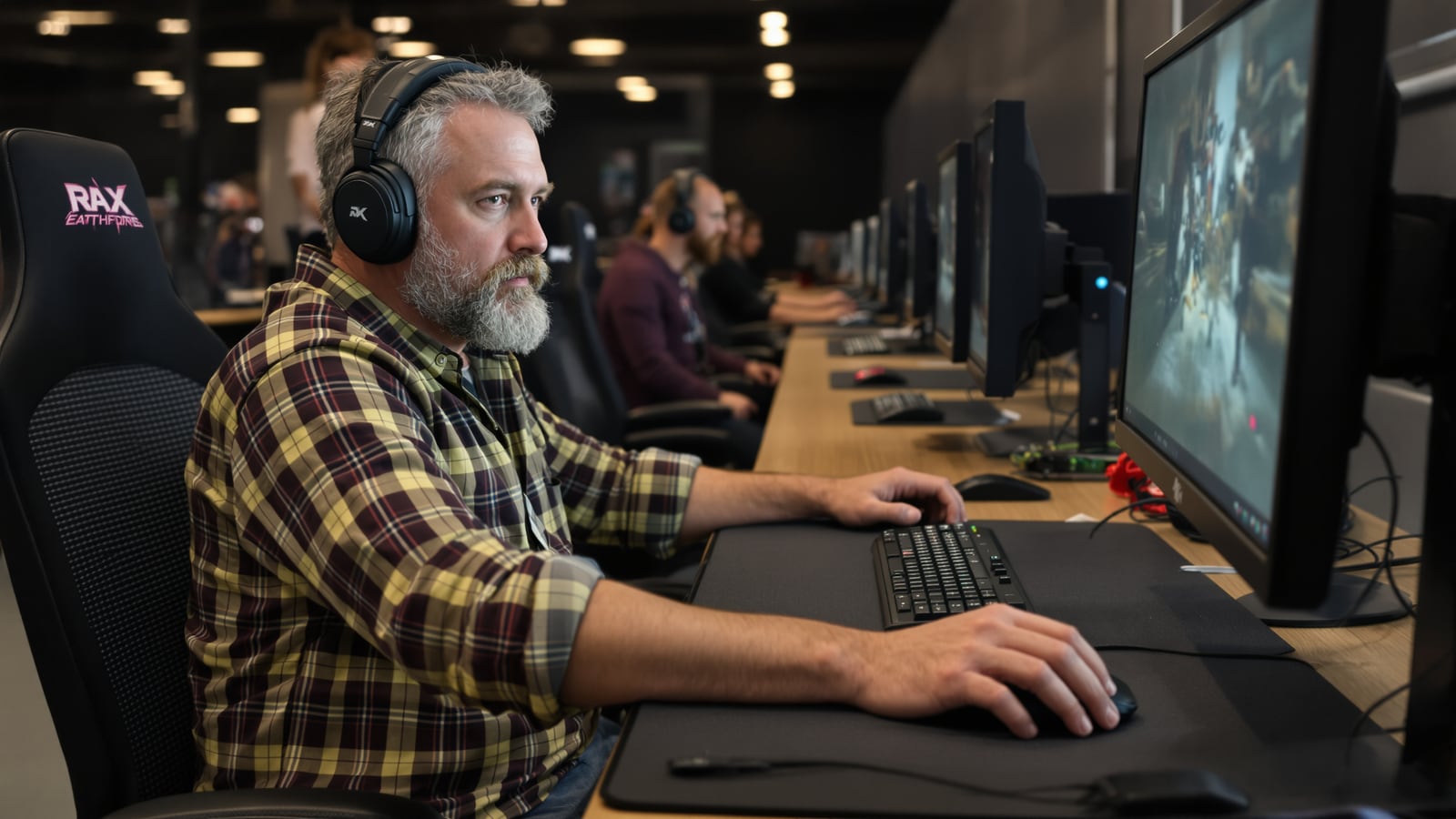
Quick answer: Get a keyboard without the number pad so your mouse sits closer to center. Drop your mouse sensitivity so you aim with your whole forearm. Set your desk so your wrists stay straight. Take your hands off the gear between matches.
A full-size keyboard has a number pad on the right. It adds roughly four inches of plastic you almost never touch in a shooter, and your mouse hand pays for it. Every flick and every reach is made from a shoulder pushed out to the side.
That's the real problem. The wrist is only where the damage shows up.
The wrist is the messenger
Picture a guy at thirty-eight, deep in a ranked grind, mouse parked way out to the right of a wide keyboard. His elbow is hanging off the edge of the desk. His wrist is bent sideways. He's making tiny, fast corrections with a few small muscles and tendons that were never meant to do the job of a whole arm.
Then he blames the mouse.
Your wrist is a small hinge. Your forearm, elbow and shoulder are big, strong, slow-fatigue machinery. Good setup moves the work from the hinge to the machinery. Everything below does that.
Shrink the keyboard
Switch to a tenkeyless board, which is a full keyboard with the number pad lopped off. It's not exotic. It's a standard layout, it's sold by every major peripheral maker, and it costs about what a full-size board does. Your gaming doesn't change at all. Your mouse hand moves in about four inches, and your shoulder drops back to a neutral position.
A smaller 75 percent or 65 percent board goes further, but you'll lose the arrow keys or function row in places, and some people hate that. Tenkeyless is the safe call.
Two more keyboard notes:
- Keep it flat. Fold those little feet down. Tilting the back up makes you bend your wrists backward to reach the keys.
- Stop hammering. If you hear every keystroke from across the room, you're bottoming out each press. Hit the keys like you mean it but not like you're angry at them. A lighter switch helps if you're a heavy hitter.
Slow the mouse down
This is the big one, and it's where most people balk.
Most players run their mouse too fast. A high sensitivity means the cursor flies with a few millimeters of wrist movement, so you aim with fingertips and wrist snaps. That's fast and it's miserable on tendons over years.
Turn it down. A reasonable target is a sensitivity where sweeping the mouse across a big chunk of your pad turns your character a half circle or more. Plenty of long-time shooter players land somewhere in the low-to-mid hundreds of DPI with a modest in-game setting. Start there and adjust.
You'll feel clumsy for about two weeks. Your first flick shots will overshoot or undershoot. Stick with it. Your aim comes from a pivot at the elbow and a sweep of the forearm, and that's a motion your body can repeat for hours.
And be honest with yourself about the trade-off. Very high sensitivity does let some top players make tiny, fast corrections with their fingers. If you're chasing a pro contract, you may feel the cost. If you're a guy with a job, a mortgage and kids, your hands are worth more than a few rank points.
Pair the lower sensitivity with a big mouse pad. You need room to swing your arm, so get one wide enough to cover the front of your desk. A small pad is what forces people back into wrist aiming.
Set the desk to your elbows
Your elbows should sit at roughly a right angle, forearms about level with the desk, wrists straight and neutral. If you have to reach up to the keyboard or bend your wrists to type, something's too high or too low.
Raise the chair, not the desk, if the desk is fixed. Use a footrest if your feet leave the floor. The full desk and chair setup is in How to set up a desk and chair that won't wreck your back, and the broader plan is in The gaming setup that won't wreck your back by thirty. Read those once, set it up once, and you're done.
Wrist rests get oversold. They're for pauses, not for motion. Rest your palm on one while you read a loading screen. Don't plant your wrist on one and drag it around while you play, because that pinches the exact area you're trying to protect. Float your forearm instead and let the arm do the moving.
Loosen your grip
Watch your hand the next time you're in a tense round. Knuckles pale? You're strangling the mouse.
Death grip means constant muscle tension in the forearm, even when you're not moving. Try this: during a calm moment, lift your fingers off the mouse completely, then set them back as lightly as you can while still controlling it. That's your target pressure. It'll feel almost too light.
A lighter mouse helps, because you're not hauling as much mass around. So does a cable that doesn't drag. If your cord tugs against the desk edge, either buy a wireless mouse or clip the cable so it floats. A mouse that fights you makes you grip harder.
If you want to test a vertical mouse, go ahead, but give it a full week and know that some players find it clumsy for fast shooters. It's an option, not a fix for everyone.
Build breaks into the game
You don't need a timer app. The game gives you pauses already: the queue, the respawn, the loading screen, the spectator cam after you die.
Use them. Take your hands off the mouse and keyboard. Open your fingers wide, shake them out, roll your shoulders back. Five seconds. Do it every time you wait.
Then, every hour or so, stand up properly. Walk to the kitchen, refill your water, look out the window. This is also a good moment to check how long you've really been playing, which Count sessions, not minutes, and gaming stops being a fight is useful for if there's a family at home that wants you at the dinner table.
Know when to stop
Soreness after a long session is one thing. Pain that shows up while you're playing, tingling or numbness in your fingers, hands that fall asleep at night, or an ache that doesn't fade after a day or two is another. That's your body telling you something.
Don't play through it. See a doctor or a physical therapist. They can tell you what's actually going on, and I can't. A few weeks of rest and a corrected setup are cheap. Surgery and a ruined hobby are not.
And if there's a teenager in your house with a gaming rig, check his desk today. He's building the habits he'll carry for decades, and he's probably got his mouse out past a full-size keyboard with a sensitivity cranked to the ceiling. Fix it for him now.
You'd do the same for a rifle stock or a truck seat. Fit the tool to the man, not the other way around.
Dean Shaw
Gear & Garage
Reads the warranty, the parts list and the long-term owner reviews before anything else. Trucks, tools, watches, and the cheap version that costs more.
Watch
Worth an hour of your evening
More from Gaming.
From channels we rate. Plays on YouTube.
Read next