

How to set up a desk and chair that won't wreck your back
Most gaming setups are built in the wrong order, and your lower back pays the bill about six years later.
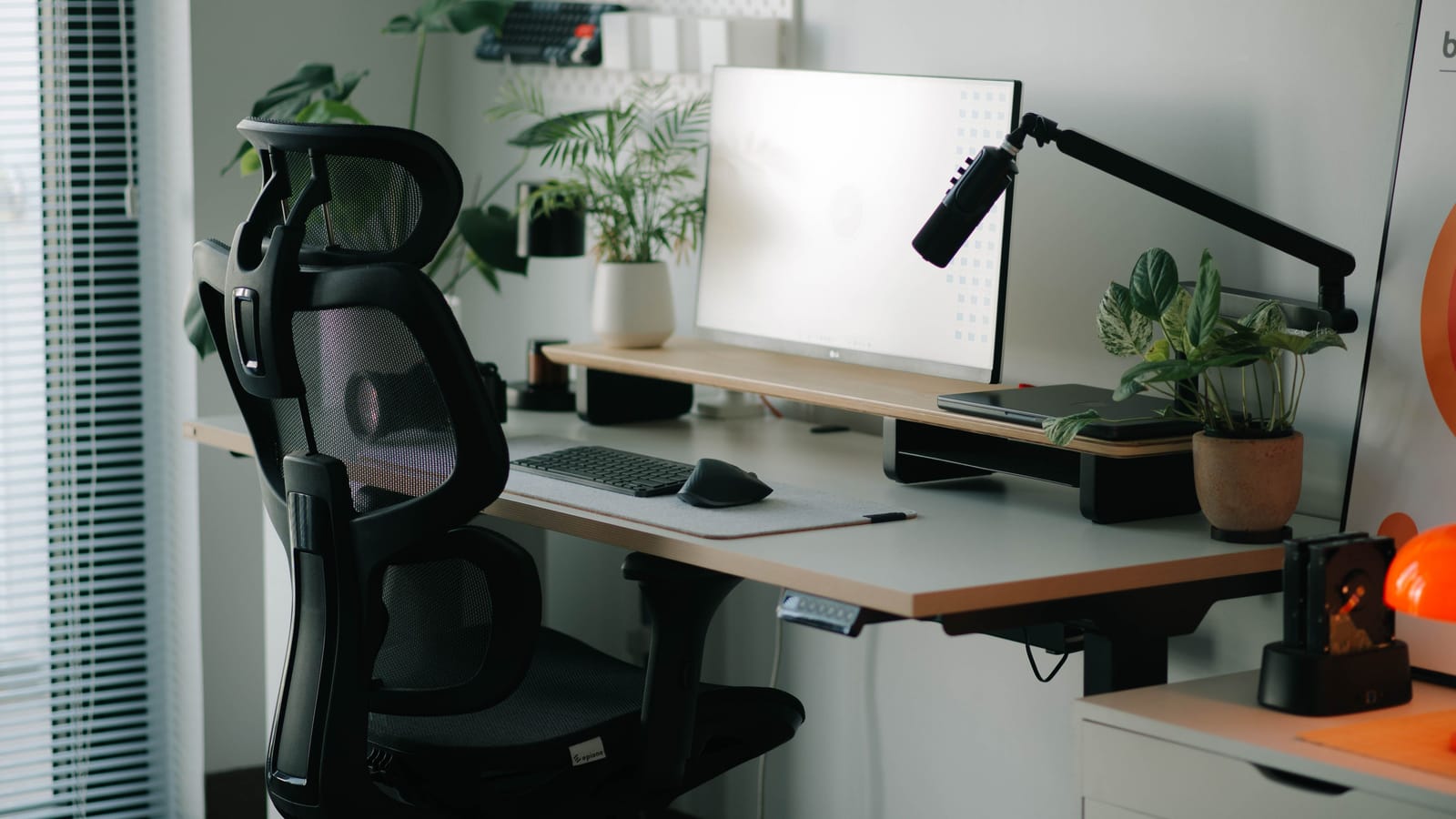
Build the setup in this order: chair first, desk height second, monitor third, keyboard and mouse last. Almost everyone does it backwards. They buy the desk, drop a chair under it, and then spend three years quietly compensating with their neck.
The chair sets your elbow height. Your elbow height sets your desk height. Your seated eye level sets your monitor height. Get the first one wrong and every other measurement inherits the error.
Start from the floor and work up
Sit down with both feet flat. Not tucked under the chair, not crossed, not one leg folded beneath you. Flat.
Adjust the seat height until your thighs are level with the floor or tilting very slightly downward toward the knee. Slightly downward is better than slightly upward. If your knees sit higher than your hips, your pelvis rolls backward and your lower back gives up its natural curve. That's the position that aches at the end of a long session.
If your feet dangle once the chair is at the right height for your desk, you need a footrest. A stack of hardback books works. A shoebox filled with something heavy works. This isn't a compromise, it's the correct solution when a fixed-height desk is too tall for you.
Now check seat depth. Slide back so your hips touch the backrest, then see how much room sits between the front edge of the seat and the back of your knees. You want roughly two to three fingers' width. Too deep and you'll perch forward all night with no back support at all. Many chairs have a seat slider for exactly this. Most people never find it.
Lumbar support goes where your belt goes
The lumbar curve should press into the small of your back, around belt height. Not into your shoulder blades. Not into your kidneys.
Adjust the height of the support if the chair allows it. If it doesn't, and the shape fights you, a small rolled towel behind the low back beats an expensive cushion that sits in the wrong place.
Set the recline. Bolt upright at ninety degrees isn't the goal and never was. A slight backward lean, somewhere in the region of ten to fifteen degrees past vertical, takes meaningful load off the discs in your lower back because the backrest is carrying part of your torso. Lock it there if you sit still. Leave the tilt tension loose and unlocked if you like to rock, which is genuinely good for you.
Armrests last. Drop your shoulders, let your arms hang, then bend your elbows to about ninety degrees. Raise the armrest until it just meets your forearm. It should support the meat of the forearm, not dig into the point of the elbow. If your shoulders are creeping up toward your ears, the armrests are too high. If you're leaning to one side, they're too low.
And if the armrests stop the chair from sliding under the desk, take them off. A chair you can't get close to is worse than a chair with no arms.
The desk is almost certainly too tall
Standard fixed desks are built around one assumed height, and a large share of adults aren't that height. Sit properly, let your arms hang, bend the elbows. Your desk surface should land at roughly that elbow height, give or take a couple of centimeters.
If it's too tall, raise the chair and add a footrest. If it's far too tall, an under-desk keyboard tray fixes it for a modest outlay, or you can cut the legs down, which is more permanent and more satisfying than it sounds.
If it's too low, risers under the legs are cheap and stable. Don't solve a low desk by hunching. That's the posture that makes your upper back feel like someone parked a car on it.
A sit-stand desk removes the argument entirely, and if you're buying new, it's the single upgrade with the longest payoff. Just know that standing all day has its own problems. The win is switching, not standing.
Monitor height is the neck problem
Your neck holds up a heavy head. Tip it forward thirty degrees and the muscles at the back have to work far harder to stop it falling. Do that for six hours a night, five nights a week, for a decade, and you'll feel it.
Set the top of the screen at or just below eye level, so your gaze falls naturally into the top third of the display. Push it back to roughly an arm's length, further for a large panel. Tilt the top edge away from you by a few degrees so the screen faces your eyes squarely.
Monitor stands are almost always too short. A monitor arm clamped to the desk is the cheapest large improvement most people can make, and it frees up the desk underneath.
Dual monitors: if you use one screen most of the time, put that one dead center and the second off to the side. If you split your attention evenly, put the seam between them in front of your nose. An ultrawide should be centered on your body, not on your desk, and those are often different points.
Keyboard and mouse, centered on you
Center the letter keys on your sternum, not the whole board. If you have a numpad, the physical middle of the keyboard sits well to the right of where your hands actually live. That small offset twists your shoulders every session.
Bring the mouse in close, at the same height and in the same plane as the keyboard. Reaching forward and out to the side is what loads the shoulder and the side of the neck.
Keep the keyboard flat or angled slightly away from you. Those little flip-out feet at the back tilt it toward you and extend your wrists, which is the opposite of what you want. A wrist rest is for resting between bursts, not for planting on while you type or aim.
The part no chair can fix
You can nail every measurement and still ache, because a body that only ever sits gets good at nothing else.
Stand up every half hour or so. Not a full break, just get vertical, walk to the kitchen, roll the shoulders. Between matches is a natural trigger. Some people set a timer. Do whatever actually happens.
Then build some tolerance. Twice a week is enough to change things: a hip hinge pattern like a Romanian deadlift or a kettlebell swing, a horizontal row, and something overhead. Add walking. A back that can produce force handles sitting far better than a back that can't, and no amount of mesh and gas lift substitutes for it.
Where the money should go
Buy the chair used. Office liquidations put serious, decade-old task chairs with real adjustment ranges into the market at a fraction of what they cost new, and most have plenty of life left.
Be cautious with bucket-shaped racing chairs. They're not a scam, but they're shaped for a driver braced against cornering forces, and the fixed side bolsters plus a single lumbar pillow on a strap suit fewer bodies than the marketing suggests. Sit in one before you commit. The test is simple: can you adjust seat height, seat depth, lumbar height, recline, and armrest height independently? If not, it's a shape, not a chair.
Spend on a monitor arm. Spend on a footrest, or make one. Skip the gel pads.
One last thing, and it isn't about furniture. Numbness, pins and needles running down a leg or arm, weakness in a hand, or pain that wakes you at night is a different category of problem from a stiff back after a long session. That's a conversation with a doctor or a physiotherapist, not a shopping trip.
Go and sit in your chair right now with a tape measure and fix one thing. Your knees, probably. You'll notice the difference tonight.
Cal Brennan
Fitness
Strength coach. Trains fathers, tradesmen and desk workers, which means programs that survive a bad week.

Watch
Watch how it's done
Picked for this article.
From channels we rate. Plays on YouTube.
Alter Ergo
Ergonomics Expert Explains How To Set Up Your Desk
University Health Services, Tang Center
How to Adjust an Ergonomics Office Chair
Read next