

Pick laptop games by what your hands need, not your graphics card
A small desk doesn't rule out good games. It rules out the ones that need a mouse pad the size of a placemat. Here's how to choose.
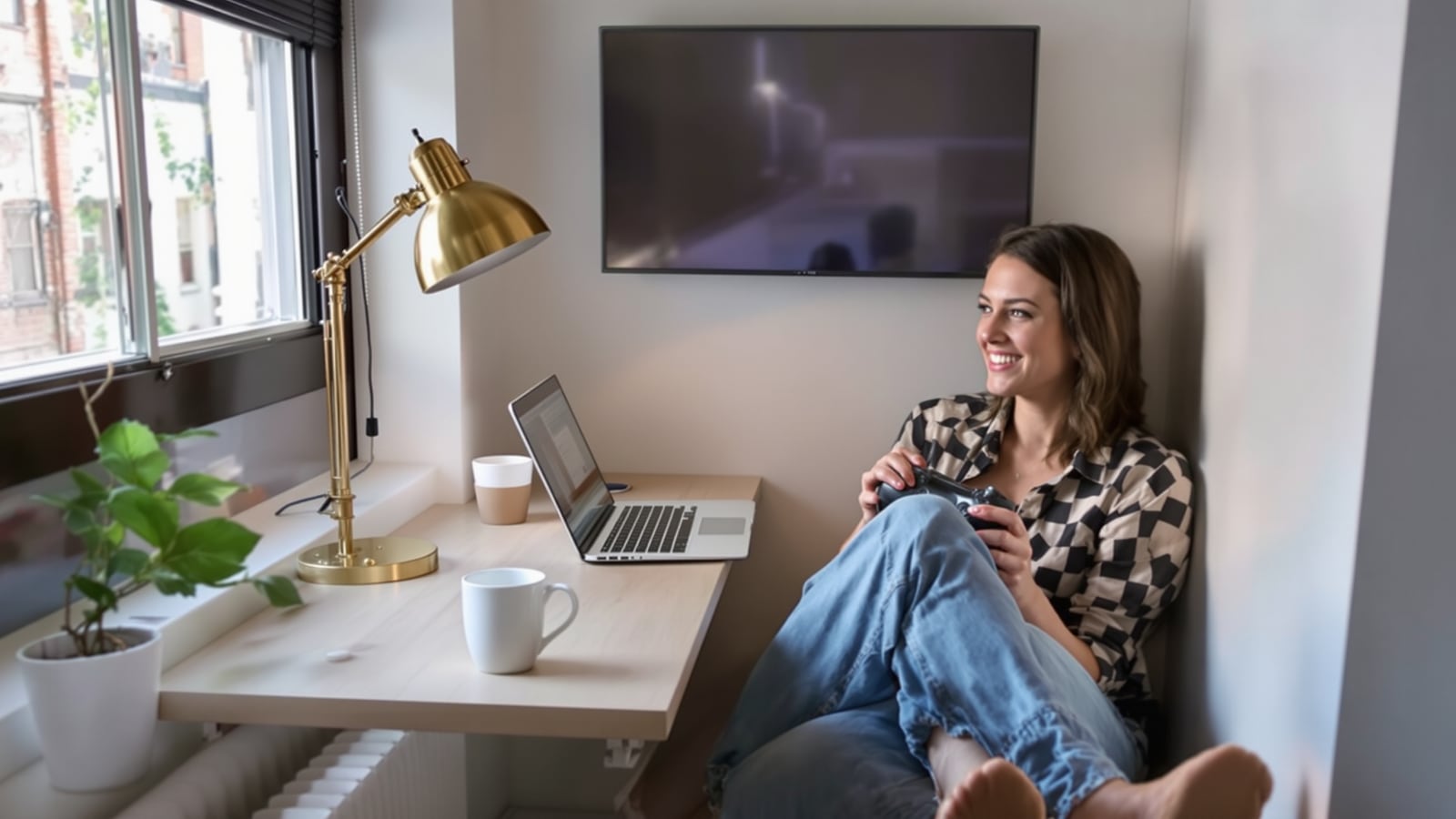
Quick answer: On a cramped desk, the limit is elbow room, not horsepower. Choose games you can play with one hand on a mouse, a keyboard alone, or a controller in your lap. Skip anything that needs a sweeping mouse arm.
A 30-inch desk, a laptop, a lamp and a coffee mug don't leave much for a gaming career. Most people in that spot start by checking whether the laptop can run a game. That's the wrong first question. Plenty of modest laptops run good games fine. What fails is the arm. You try a shooter on the trackpad, lose four rounds in a row, and decide the laptop is junk.
The laptop isn't junk. You picked a game that wanted a bigger desk.
Sort by input first
Before you look at a store page, ask what your hands will be doing. Three setups cover almost everything.
One finger, one surface. Turn-based and card games barely care how you point. Slay the Spire and Into the Breach are the standard examples. You click, you think, you click again. They play fine on a trackpad and fine on a lap on the couch. Balatro sits in the same camp, and it's a hard one to put down.
Keyboard only. Some games need nothing but movement keys. Vampire Survivors is the cleanest case: you steer, the game does the attacking. Celeste is a precision platformer that plays well on a keyboard, though a controller makes it easier on the thumbs. Nothing about either needs a mouse, so the mouse space can go to the coffee.
Controller in your lap. This is the real answer for a tiny desk. The laptop goes at the back, the controller goes wherever you're comfortable, and your hands never touch the desk. Hades and Hollow Knight both play beautifully this way. You can sit back, which also helps your neck. If you're going to buy one accessory, make it a controller.
The mouse question
Be honest about the trade-off. A cheap wired mouse takes up about six inches of desk and makes a huge difference to anything with aiming or a lot of clicking. A trackpad is fine for menus and slow games. It's miserable for fast ones.
If you've got room for a mouse and nothing else, the games that open up are the ones built around it. Stardew Valley works well on keyboard and mouse, and so does Terraria. Both let you play in short bursts and save at sensible points. You don't need a mouse pad the size of a placemat for either. A magazine or a clipboard on top of the desk works as a surface, and nobody's checking.
What to skip on a small desk
Some games fight the setup, and it's better to know before you buy them.
- Competitive shooters. They want a mouse, a large pad and room to flick your arm. On a trackpad you'll lose to people with the right gear and decide the game is unfair. It isn't. You're playing it wrong for your desk.
- Strategy games with a wall of hotkeys. A game like StarCraft II wants two hands working the whole keyboard and a mouse at the same time. On a small desk the hands collide.
- Racing and flight games. They're built for wheels and sticks. Controllers can handle them, but you're giving up what they do best.
None of that means you can never play them. It means a bigger desk is the price of admission, and you shouldn't pay it by accident.
Three things that matter more than the game
Plug in. Many laptops cut performance when they're running on battery. A game that stutters at the library table can run fine once you're near an outlet. Check the power setting before you blame the hardware.
Keep the vents clear. A laptop on a blanket, a pillow or your actual lap will run hot and slow itself down. Put it on something hard. A hardcover book under the back edge lifts it and gives the fans room. Soft surfaces are how a decent machine ends up sounding like a leaf blower.
Mind your posture. A laptop screen sits too low for long sessions. Prop it up if you've got a mouse and keyboard, or put the controller in your lap and sit back if you don't. The full chair-and-desk fix is in How to set up a desk and chair that won't wreck your back.
Pick the length to match the space
Small-desk gaming usually means shared space: a kitchen table, a dorm, a corner of the living room. That favors games you can start and stop without a ritual. Roguelikes and card games are built for it, because a run takes a set amount of time and then it's over.
That also makes limits easier to keep. If a run is about thirty minutes, "one more run" is a clear, honest number, and it fits the approach in Count sessions, not minutes, and gaming stops being a fight. Open-ended games with no natural stopping point are harder on a shared table and harder on the people sharing it.
And if the table isn't yours, leave it cleaner than you found it. Wipe it down, coil the cable, put the controller back in its bag. The person who has to eat dinner there in an hour will remember it.
What to buy, in order
If you're starting from nothing and the laptop already works:
- A controller. Start here. It opens up the best action games without touching your desk.
- A small wired mouse. Buy it second, for the strategy and building games a trackpad can't handle.
- A hard surface or a book to lift the back of the laptop. It costs nothing and it keeps the machine from throttling.
Don't buy a bigger desk until you know what you play. If you're looking at a full upgrade down the road, Spend your first PC build money in the right order covers where the money does the most good.
For a list of what's worth the evenings once you've got the setup sorted, start with The games worth your evenings, and the ones that waste them.
A small desk and a decent laptop already hold more good games than you'll finish. Pick the one that fits your hands and play it.
Dean Shaw
Gear & Garage
Reads the warranty, the parts list and the long-term owner reviews before anything else. Trucks, tools, watches, and the cheap version that costs more.
Watch
Worth an hour of your evening
More from Gaming.
From channels we rate. Plays on YouTube.
Read next