Your controller isn't the problem, your grip is
Sore hands after an hour aren't a hardware flaw. They're a grip, posture and timing problem, and all three can be fixed for free.
Quick answer: Loosen your grip, get your forearms supported, and stop on a natural break about once an hour. Do those three before you spend a dollar on a new controller.
Look at your hands the next time a boss fight goes badly. Knuckles pale. Forearms tight. Shoulders up around your ears. You're not holding a controller anymore. You're strangling it.
That's where most of the pain comes from. A controller weighs well under a pound. Holding it shouldn't take effort. What takes effort is the tension you add when the screen gets tense, and your hands can't tell the difference between a hard level and a hard day of labor.
The death grip
Hold the controller the way you'd hold a phone while walking across a parking lot. Secure, not clenched. Your fingers should rest on the triggers and bumpers, not hover over them with the muscles flexed and ready.
Try this once. Pick up the controller, start a game, and pause during the next tense moment. Check your grip. If it's tighter than when you started, that's your baseline problem. Every time you catch it, let your fingers soften. You'll catch it a lot at first. Then less.
Your thumbs get the same treatment. Pressing the sticks harder doesn't make the character move faster. It just wears out the pad of your thumb and the muscle at the base of it. Light touch, same result.
Where your forearms are matters more than the controller
Most hand pain isn't in the hand. It starts higher up, with how your arms are hung.
If your elbows are floating in the air and your wrists are bent, the tendons running through your wrist are doing a job they weren't built for, hour after hour. Fix the arms and the hands calm down.
- On the couch: Put a pillow on your lap and rest your forearms on it. Or lean into an armrest so your elbows are supported. Don't slump into the cushions with the controller held at chest height.
- At a desk: Keep your elbows near your sides and your wrists roughly straight, not cocked up or bent down. If you're on a PC with a controller, the desk and chair setup matters as much as it does for a keyboard. How to set up a desk and chair that won't wreck your back covers the basics.
- On the floor with the kids: Fine for an hour of fun. Not fine for a three-hour session with your wrists bent against your knees.
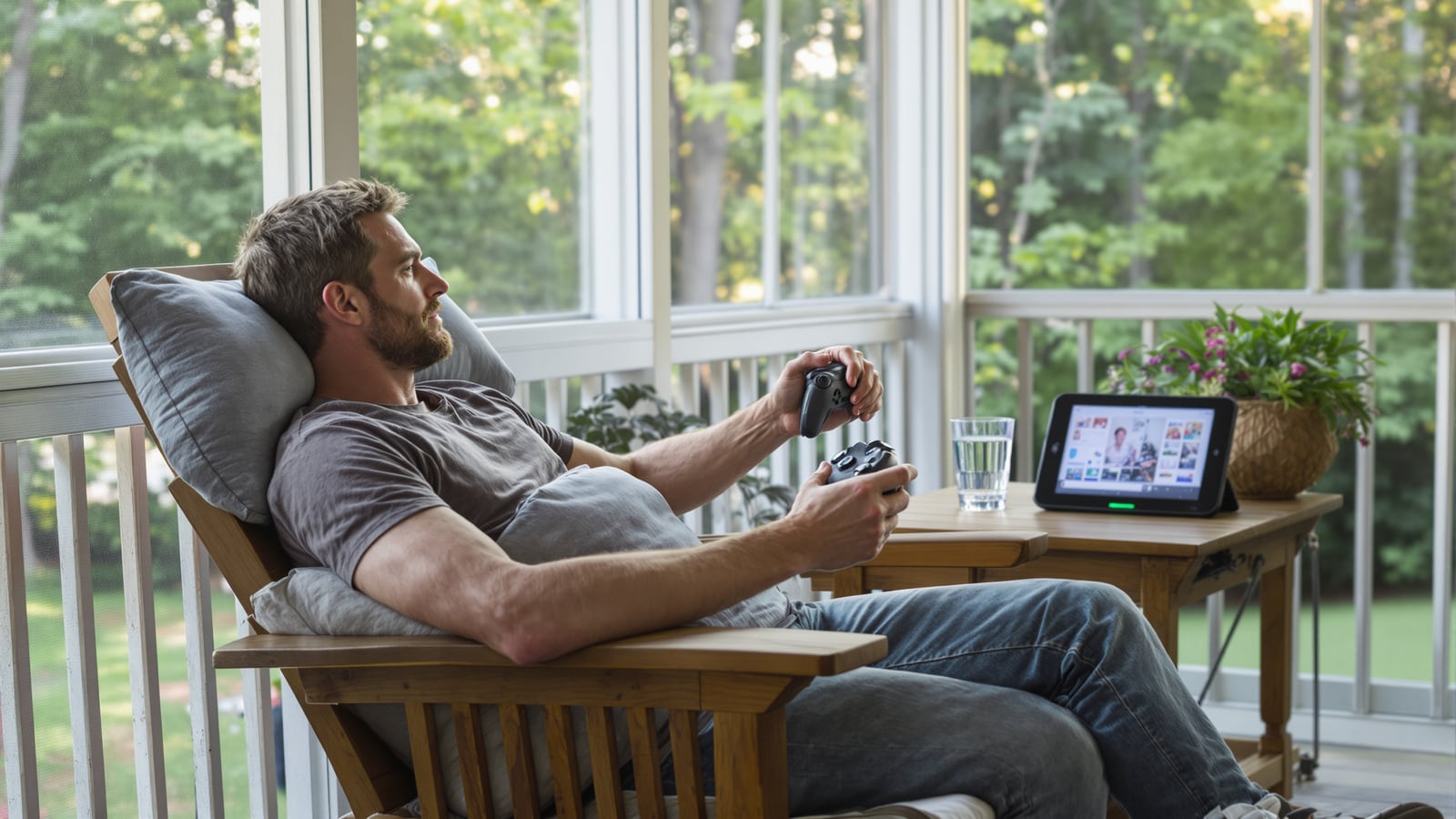
The annoying part is that the comfortable-feeling position, deep in a couch with the controller on your stomach, is often the worst one. It feels relaxed. Your wrists disagree by the second hour.
Does the controller itself matter?
Yes, but less than the sales pages suggest.
Size is the real variable. The Switch Joy-Cons are small for most adult hands, and holding them in handheld mode for long sessions cramps people up. The Pro Controller is the better pick for anyone playing docked for more than a quick round. The standard Xbox and PlayStation controllers suit most adult hands well. If your hands are small, you may find yourself stretching to reach the triggers. If they're large, you may find yourself curling your fingers awkwardly around a compact shell.
Before buying anything, hold a few in a store if you can. Your hands will tell you in thirty seconds what a review can't. And if the controller you have fits fine, don't replace it hoping it'll fix a grip problem. It won't. The new one will hurt in a few weeks, just like the old one.
Settings that cut the workload
All three major consoles let you remap buttons in the system settings, usually under accessibility. That's not only for people with a disability. It's for anyone whose hand cramps in a specific spot.
Some practical changes worth trying:
- Move the button that makes you stretch. If a game has you reaching a thumb off the stick every few seconds, put that action on a back paddle or a bumper.
- Turn vibration off or down if your hands feel buzzy or numb afterward. You'll lose a little atmosphere and keep a lot of comfort.
- Hold-to-press versus tap-to-press. Many games let you switch an action from "hold" to "toggle." Sprinting and aiming are the usual ones. Less sustained pressure means less strain.
- Trigger sensitivity. Some controllers and games let you shorten how far the trigger travels. Shorter pull, less finger movement.
None of this costs anything. Ten minutes in the menu can change how your hands feel by Friday.
The hour rule
Here's the plain fact. Doing the same small motion over and over, with no break, is hard on hands. A controller session is exactly that.
So take a break about every hour. Not a ceremony. Stand up, shake out your hands, open and close your fingers a few times, roll your shoulders back. Two minutes. Get a glass of water while you're at it.
The trick is to tie the break to something the game already gives you. End of a match. A save point. The end of a mission. If you wait for a good moment to stop, you'll wait until your hands are screaming. If you decide in advance that the next natural break is where you stop, you'll actually do it. That's also the idea behind counting sessions, not minutes, which works well for households and for your own hands.
Warm up, and stretch the right way
You wouldn't lift cold. Your hands are no different. Before a long session, spend thirty seconds opening and closing your fists, then spreading your fingers wide. Gently stretch your wrist by pulling the fingers of one hand back with the other, arm out straight, palm forward. Hold it light. It shouldn't hurt.
Do the same afterward. It's boring. It works better than most gadgets people buy.
When it's more than tired hands
Tired and sore after a long session, gone by morning: normal. Fix the habits above and it usually fades.
These aren't normal:
- Tingling or numbness in your fingers that shows up regularly
- Pain that wakes you at night
- Weakness, like dropping things or struggling with a jar lid
- Soreness that's still there days after you've stopped playing
If any of that sounds familiar, stop gaming for a while and see a doctor. A physical or occupational therapist can also look at how you use your hands and show you what to change. Don't tough it out. Persistent symptoms are the body telling you the problem has moved past a bad habit.
If you play with your kids
Kids' hands are smaller than the controllers made for adults, and they don't tell you when something hurts. They just play until they're done or until they're cranky. Watch for the clenched grip and the hunched shoulders. Sit next to them, loosen your own hands, and let them copy you. It's a better lesson than any lecture, and it's a way of being player two instead of the referee.
A sore thumb at eleven years old is a good reason to put the controller down. A habit of ignoring it is a worse thing to carry into thirty.
Next session, pause once in the middle of something hard and look at your hands. If your knuckles are white, you already know what to fix.
Dean Shaw
Gear & Garage
Reads the warranty, the parts list and the long-term owner reviews before anything else. Trucks, tools, watches, and the cheap version that costs more.

Watch
Worth an hour of your evening
More from Gaming.
From channels we rate. Plays on YouTube.
Read next