

The garage WiFi fix that streams, and the one that buffers
A plug-in extender can show full bars in your garage and still choke on a ballgame. Here's what separates the fix that holds from the one that stutters.
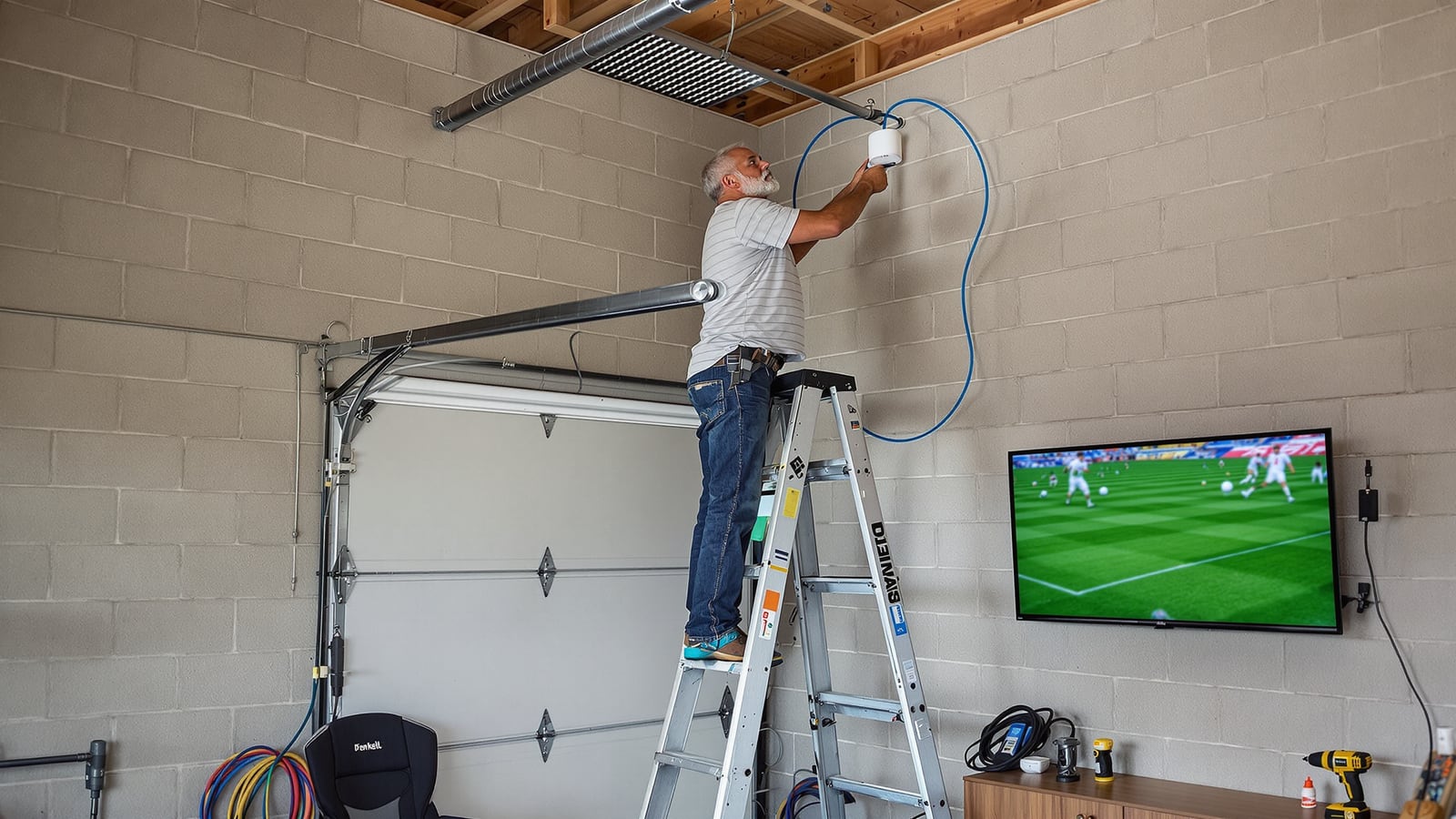
Quick answer: A basic plug-in extender is the weakest fix. It halves your speed and drops out when the game's on. If you can run a cable to the garage, do that. If you can't, buy a mesh node with a dedicated link back to the router, and put it where it still has a strong signal.
Why the extender shows full bars and still buffers
You plug it in by the garage door. The little light goes green. Your phone shows four bars. Then you load a video and watch the circle spin.
The bars only tell you how well your phone hears the extender. They say nothing about how well the extender hears your router. And a basic extender has a built-in problem. It uses one radio to talk to the router and to your phone, so it takes turns. Every bit of data gets received and then sent again. At best you get roughly half the speed it's picking up, and usually less.
Streaming makes that worse. A 4K stream wants a steady 15 to 25 megabits or so, depending on the service. Speed isn't really the issue, though. Buffering comes from a connection that's fast one second and gone the next, and an extender stretched to the edge of its range does exactly that.
Your garage is hostile territory
Garages are built to hold up a truck, not a radio signal.
Concrete block and poured slabs soak up WiFi. Rebar inside the walls makes it worse. A steel overhead door is a mirror. Foil-faced insulation behind the drywall acts like a shield. Then there's the stuff you keep out there: a chest freezer, a metal tool cabinet, a second fridge with the compressor cycling on and off.
The 5 GHz band is fast but gives up quickly when it hits any of that. The 2.4 GHz band goes farther but is slower and crowded. A good fix has to be smart about which band does which job.
The test that saves you a return
Before you buy anything, stand where the extender will plug in and run a speed test on your phone. Do it again at the dead corner where you actually watch things.
If the first spot gets less than about half of what you get next to the router, the extender will be starved. It can't boost what it can't hear. Move the plan closer to the house until that spot tests well, or skip the extender and wire it.
Then do the part nobody does. Stream a video for ten minutes in the corner. A speed test runs a few seconds. Buffering shows up in minute six.
The fix that works: a cable
If you can run Ethernet to the garage, do it. Nothing else comes close.
A cable doesn't care about concrete or the freezer. It carries the full speed of your connection and doesn't take turns. You plug a mesh node or a small access point into the end, and the garage gets a real signal from a real source.
The job is a Saturday morning for a handy guy, longer if the attic is a mess.
- Use Cat6 cable. It costs little more than the older stuff and you only want to pull it once.
- If any of the run goes outdoors or through a damp spot, buy cable rated for it.
- Keep it away from power wiring. Cross electrical lines at a right angle, don't staple through anything, and don't work near the panel. Anything involving the panel or new outlets is a job for a licensed electrician.
- Label both ends. Whoever opens that wall in ten years will thank you, and that might be you.
Mount the node high and near the middle of the garage, not tucked behind the shelving. A signal wants a clear view of the room.
No cable? Buy mesh with a real backhaul
Sometimes the wall is finished, the attic is blown-in insulation, and you're not cutting drywall for a ballgame. Fair enough.
Then skip the plug-in extender and look at mesh. The question that matters is how the nodes talk to each other. A tri-band system adds a third radio used only for that conversation, so the node doesn't have to split its attention with your phone. That's the thing that stops the buffering. A dual-band mesh system without a dedicated link still works, but it carries a version of the same turn-taking problem.
Check the box for the words "dedicated backhaul" or a clear tri-band description. If the box doesn't say, assume it doesn't have one.
Placement rules still apply. The node goes where the signal from the house is still strong, usually inside the garage on the wall closest to the house, not in the far corner you're trying to cover. Putting it halfway is the right instinct. Putting it at the limit is how you end up buying a second one.
The in-between options
Powerline adapters send the connection through your electrical wiring. Sometimes they're excellent. Sometimes the garage is on a separate circuit or has noisy gear on the line, and they crawl. They're cheap to try and easy to return, so test them in the actual outlet you'll use, not the one in the living room.
MoCA adapters use the coax cable already in your walls. If there's a coax jack in the garage, they can be close to a wired connection. If there isn't one, forget it.
A plain plug-in extender is fine for checking email on the workbench. It's the wrong tool for video, and certainly for a TV you'll sit in front of.
Two garage-specific things to check
Temperature first. An unconditioned garage swings from freezing to well over 100 degrees depending on where you live. Plenty of consumer gear is only rated for normal indoor temperatures. Read the operating range on the spec sheet before you mount a node above the workbench in July.
Security second. Anything you add to your network is a door into it. Change the default admin password the day you install it, and keep the firmware updated. If you want a full sweep, the one-evening account lockdown covers it.
Before you spend a dollar
Make sure the problem is in the garage and not at the router. If your speeds are poor right next to it, no node in the garage will fix that. The home internet numbers that matter will tell you what to look at first.
And think about what you want out there. If it's a camera, a garage door opener or a few sensors, the demands are small and a modest setup will do, which smart home kit that earns its place goes through in more detail. If it's a TV in the corner for Saturday football, that's the case for running the cable.
The dead corner of your garage is not a mystery. It's a place the signal can't reach, and the fix is to put a source of signal there, not to stretch a weaker one farther. Run the wire, then go watch the game.
Dean Shaw
Gear & Garage
Reads the warranty, the parts list and the long-term owner reviews before anything else. Trucks, tools, watches, and the cheap version that costs more.

Watch
Worth an hour of your evening
More from Gadgets.
From channels we rate. Plays on YouTube.
Read next